> ## Documentation Index
> Fetch the complete documentation index at: https://wb-21fd5541-docs-1778-mysql-updates.mintlify.site/llms.txt
> Use this file to discover all available pages before exploring further.
> Model registry to manage the model lifecycle from training to production
# Model registry overview
W\&B will eventually stop supporting W\&B Model Registry. Users are encouraged to instead use [W\&B Registry](/models/registry/) for linking and sharing their model artifacts versions. W\&B Registry broadens the capabilities of the legacy W\&B Model Registry. For more information about W\&B Registry, see the [Registry docs](/models/registry/).
W\&B will migrate existing model artifacts linked to the legacy Model Registry to the new W\&B Registry in the near future. See [Migrating from legacy Model Registry](/models/registry/model_registry_eol/) for information about the migration process.
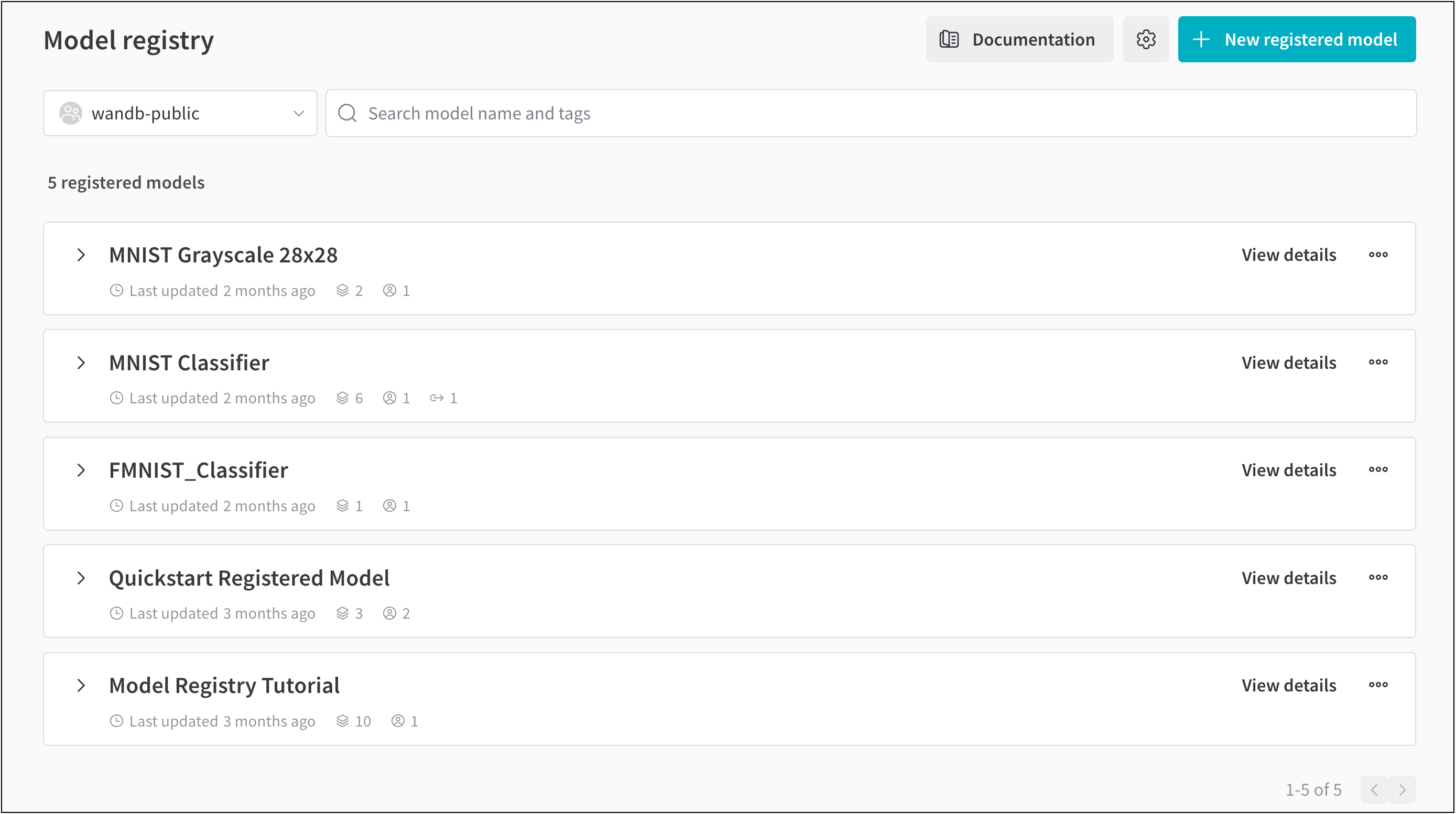
The W\&B Model Registry houses a team's trained models where ML Practitioners can publish candidates for production to be consumed by downstream teams and stakeholders. It is used to house staged/candidate models and manage workflows associated with staging.
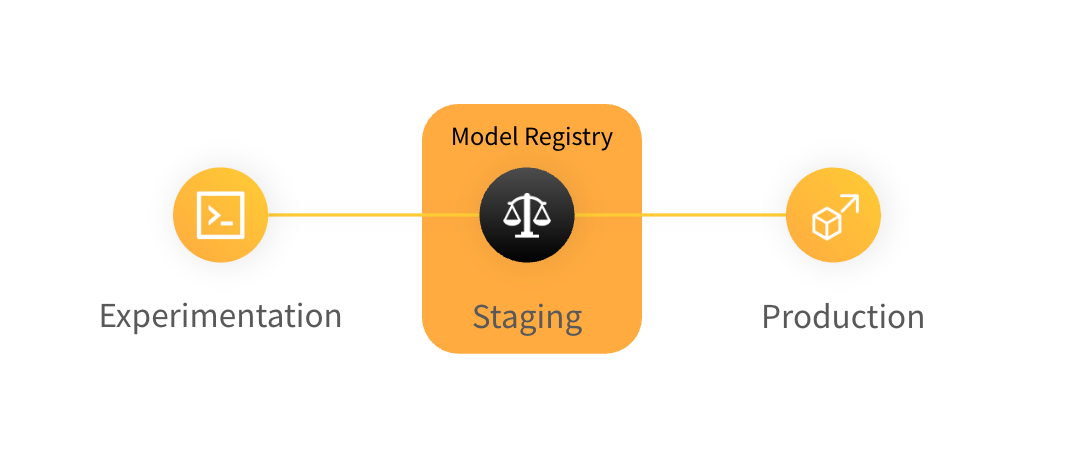 With W\&B Model Registry, you can:
* [Bookmark your best model versions for each machine learning task.](/models/registry/model_registry/link-model-version/)
* [Automate](/models/automations/) downstream processes and model CI/CD.
* Move model versions through its ML lifecycle; from staging to production.
* Track a model's lineage and audit the history of changes to production models.
With W\&B Model Registry, you can:
* [Bookmark your best model versions for each machine learning task.](/models/registry/model_registry/link-model-version/)
* [Automate](/models/automations/) downstream processes and model CI/CD.
* Move model versions through its ML lifecycle; from staging to production.
* Track a model's lineage and audit the history of changes to production models.
 ## How it works
Track and manage your staged models with a few simple steps.
1. **Log a model version**: In your training script, add a few lines of code to save the model files as an artifact to W\&B.
2. **Compare performance**: Check live charts to compare the metrics and sample predictions from model training and validation. Identify which model version performed the best.
3. **Link to registry**: Bookmark the best model version by linking it to a registered model, either programmatically in Python or interactively in the W\&B UI.
The following code snippet demonstrates how to log and link a model to the Model Registry:
```python theme={null}
import wandb
import random
# Start a new W&B run
with wandb.init(project="models_quickstart") as run:
# Simulate logging model metrics
run.log({"acc": random.random()})
# Create a simulated model file
with open("my_model.h5", "w") as f:
f.write("Model: " + str(random.random()))
# Log and link the model to the Model Registry
run.link_model(path="./my_model.h5", registered_model_name="MNIST")
```
4. **Connect model transitions to CI/CD workflows**: transition candidate models through workflow stages and [automate downstream actions](/models/automations/) with webhooks.
## How to get started
Depending on your use case, explore the following resources to get started with W\&B Models:
* Check out the two-part video series:
1. [Logging and registering models](https://www.youtube.com/watch?si=MV7nc6v-pYwDyS-3\&v=ZYipBwBeSKE\&feature=youtu.be)
2. [Consuming models and automating downstream processes](https://www.youtube.com/watch?v=8PFCrDSeHzw) in the Model Registry.
* Read the [models walkthrough](/models/registry/model_registry/walkthrough/) for a step-by-step outline of the W\&B Python SDK commands you could use to create, track, and use a dataset artifact.
* Learn about:
* [Protected models and access control](/models/registry/model_registry/access_controls/).
* [How to connect Registry to CI/CD processes](/models/automations/).
* Set up [Slack notifications](/models/registry/model_registry/notifications/) when a new model version is linked to a registered model.
* Review [What is an ML Model Registry?](https://wandb.ai/wandb_fc/model-registry-reports/reports/What-is-an-ML-Model-Registry---Vmlldzo1MTE5MjYx) to learn how to integrate Model Registry into your ML workflow.
* Take the W\&B [Enterprise Model Management](https://www.wandb.courses/courses/enterprise-model-management) course and learn how to:
* Use the W\&B Model Registry to manage and version your models, track lineage, and promote models through different lifecycle stages
* Automate your model management workflows using webhooks.
* See how the Model Registry integrates with external ML systems and tools in your model development lifecycle for model evaluation, monitoring, and deployment.
## How it works
Track and manage your staged models with a few simple steps.
1. **Log a model version**: In your training script, add a few lines of code to save the model files as an artifact to W\&B.
2. **Compare performance**: Check live charts to compare the metrics and sample predictions from model training and validation. Identify which model version performed the best.
3. **Link to registry**: Bookmark the best model version by linking it to a registered model, either programmatically in Python or interactively in the W\&B UI.
The following code snippet demonstrates how to log and link a model to the Model Registry:
```python theme={null}
import wandb
import random
# Start a new W&B run
with wandb.init(project="models_quickstart") as run:
# Simulate logging model metrics
run.log({"acc": random.random()})
# Create a simulated model file
with open("my_model.h5", "w") as f:
f.write("Model: " + str(random.random()))
# Log and link the model to the Model Registry
run.link_model(path="./my_model.h5", registered_model_name="MNIST")
```
4. **Connect model transitions to CI/CD workflows**: transition candidate models through workflow stages and [automate downstream actions](/models/automations/) with webhooks.
## How to get started
Depending on your use case, explore the following resources to get started with W\&B Models:
* Check out the two-part video series:
1. [Logging and registering models](https://www.youtube.com/watch?si=MV7nc6v-pYwDyS-3\&v=ZYipBwBeSKE\&feature=youtu.be)
2. [Consuming models and automating downstream processes](https://www.youtube.com/watch?v=8PFCrDSeHzw) in the Model Registry.
* Read the [models walkthrough](/models/registry/model_registry/walkthrough/) for a step-by-step outline of the W\&B Python SDK commands you could use to create, track, and use a dataset artifact.
* Learn about:
* [Protected models and access control](/models/registry/model_registry/access_controls/).
* [How to connect Registry to CI/CD processes](/models/automations/).
* Set up [Slack notifications](/models/registry/model_registry/notifications/) when a new model version is linked to a registered model.
* Review [What is an ML Model Registry?](https://wandb.ai/wandb_fc/model-registry-reports/reports/What-is-an-ML-Model-Registry---Vmlldzo1MTE5MjYx) to learn how to integrate Model Registry into your ML workflow.
* Take the W\&B [Enterprise Model Management](https://www.wandb.courses/courses/enterprise-model-management) course and learn how to:
* Use the W\&B Model Registry to manage and version your models, track lineage, and promote models through different lifecycle stages
* Automate your model management workflows using webhooks.
* See how the Model Registry integrates with external ML systems and tools in your model development lifecycle for model evaluation, monitoring, and deployment.