> ## Documentation Index
> Fetch the complete documentation index at: https://wb-21fd5541-docs-1778-mysql-updates.mintlify.site/llms.txt
> Use this file to discover all available pages before exploring further.
> Get Slack notifications when a new model version is linked to the model registry.
# Create alerts and notifications
Receive Slack notifications when a new model version is linked to the model registry.
1. Navigate to the [W\&B Model Registry](https://wandb.ai/registry/model).
2. Select the registered model you want to receive notifications from.
3. Click on the **Connect Slack** button.
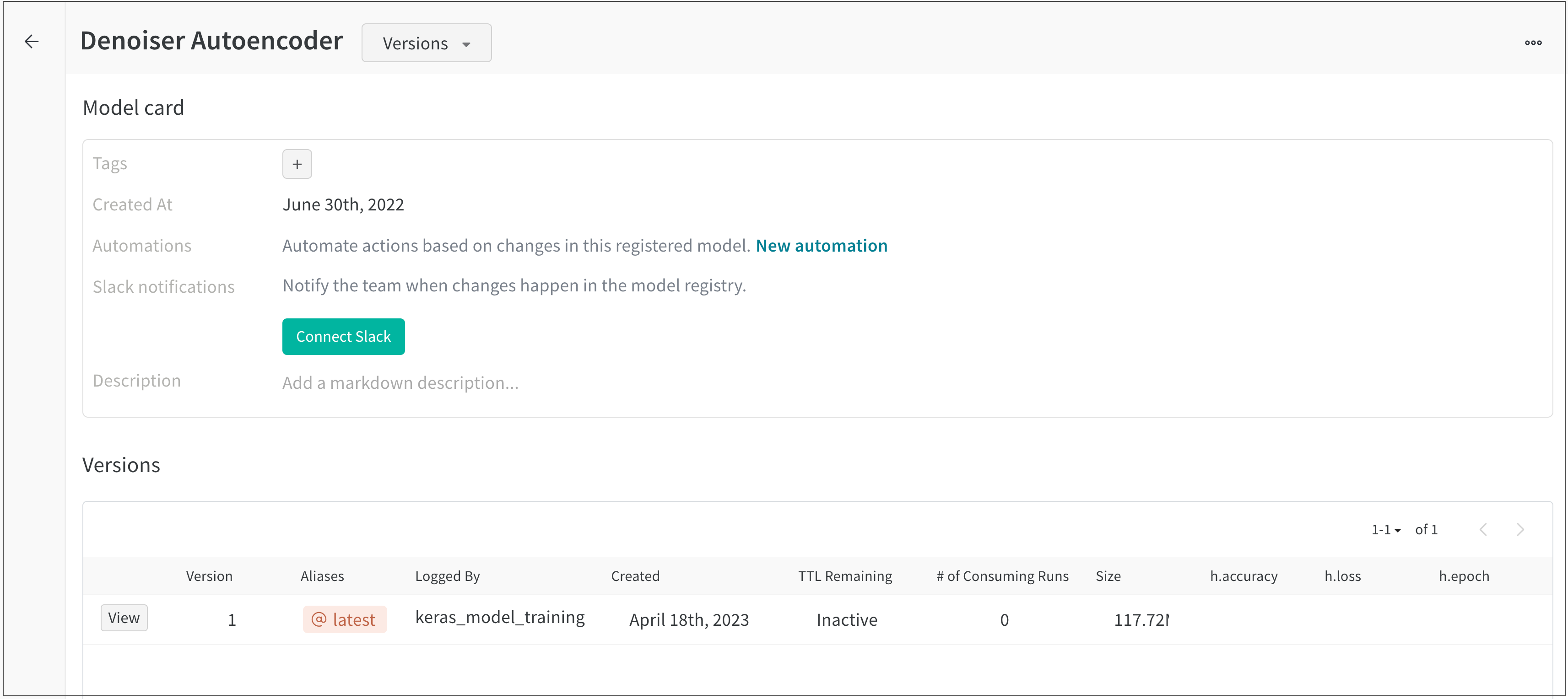 4. Follow the instructions to enable W\&B in your Slack workspace that appear on the OAuth page.
Once you have configured Slack notifications for your team, you can pick and choose registered models to get notifications from.
A toggle that reads **New model version linked to...** appears instead of a **Connect Slack** button if you have Slack notifications configured for your team.
The screenshot below shows a FMNIST classifier registered model that has Slack notifications.
4. Follow the instructions to enable W\&B in your Slack workspace that appear on the OAuth page.
Once you have configured Slack notifications for your team, you can pick and choose registered models to get notifications from.
A toggle that reads **New model version linked to...** appears instead of a **Connect Slack** button if you have Slack notifications configured for your team.
The screenshot below shows a FMNIST classifier registered model that has Slack notifications.
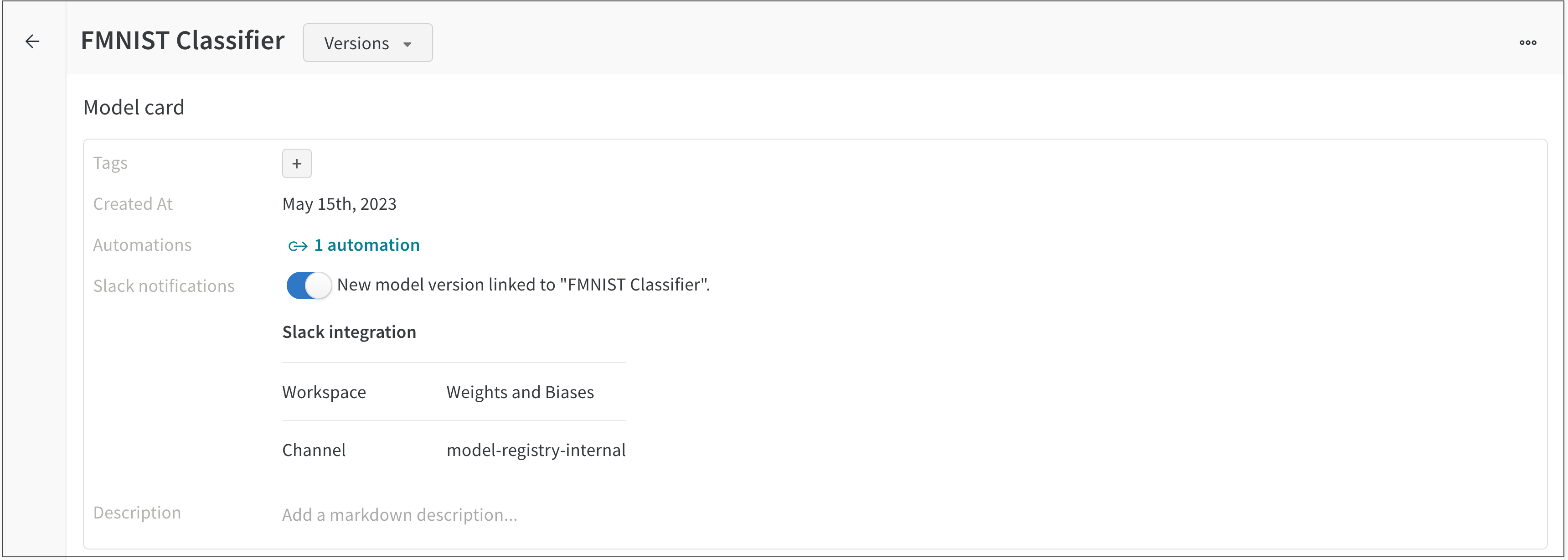 A message is automatically posted to the connected Slack channel each time a new model version is linked to the FMNIST classifier registered model.